


Powering Education
Power for curious minds.
Keep every lesson and imagination charged.
From K-12 device programs to university libraries and lecture halls, Omnicharge Power Stations bring dependable, shareable charging to the places learning actually happens - without construction, wall outlets, or cable clutter.
Schools and campuses powered by Omnicharge










Testimonials
Trusted By Organizations
That Need Flexibility Without Compromise
Omnicharge helps organizations reduce costs, increase flexibility, and unlock the full potential of their spaces.
Discover how some of the world's most innovative teams are using our solutions.


Gaby Arroyo
Instructional Technology Coach, Santa Monica Boulevard Community Charter School (Fenton Charter Public Schools)
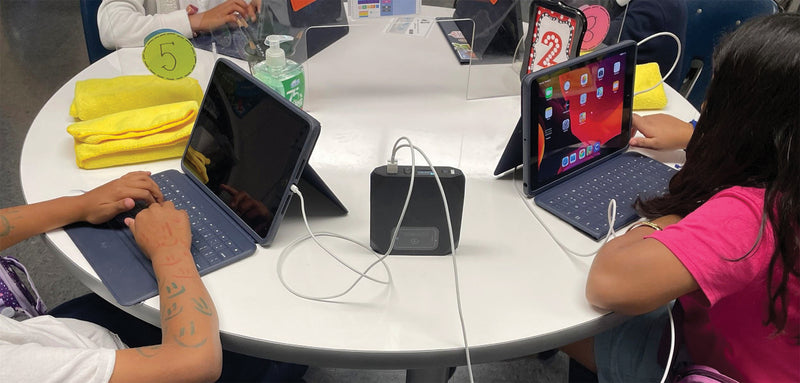
Now, we have the freedom to teach wherever we want, without worrying about outlets or dead batteries. As teachers, we need our kids to be using their devices. Battery power can be a problem, and Omnicharge is the perfect solution.
Colleen McNeil
St. Stephen’s and St. Agnes School
It’s incredibly frustrating for a teacher to have a classroom activity ready to go and then find students unable to participate because their devices aren’t charged. Omnicharge has beautifully addressed this problem.
Bruce Sarte
Director of Information Technology, Cedar Crest College
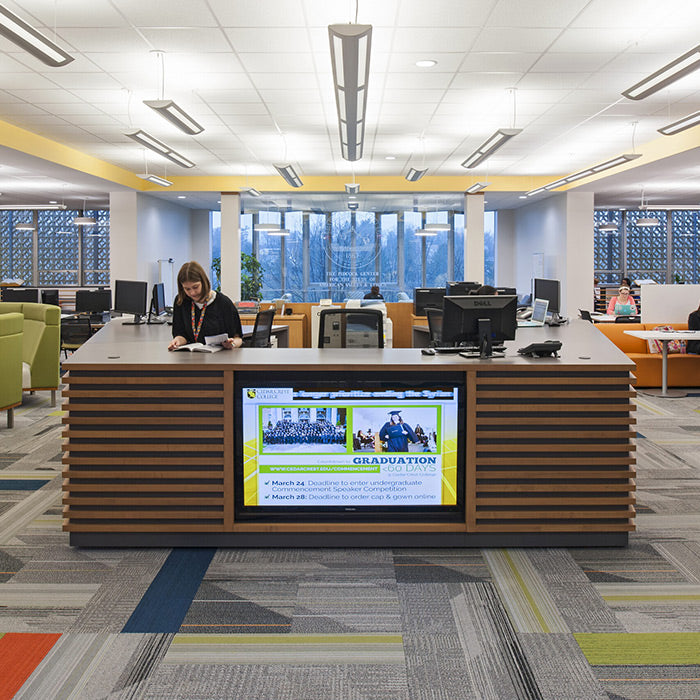
Omnicharge stations have transformed our learning environment by providing easy, on-demand charging for students, ensuring they stay connected and productive throughout the day. The convenience and flexibility far outweigh the cost of installing traditional outlets, making Omnicharge a highly recommended power solution!

Liliana Sardelis
Assistant Director, Facility & Operations Services, Robert H. Smith School of Business, University of Maryland
All the students who have used it have given us positive reviews. They’ve loved having it available as needed. Would I recommend Omnicharge to other colleges and universities? I would.

Jerrid Freeman
VP for Student Affairs & Enrollment Management, Northeastern State University
Omnicharge has provided a versatile, movable power solution for spaces without desk outlets. With USB, power cord, and wireless charging options, it supports users on the move, in meetings, or while traveling. It’s been well received by those who use it, though broader adoption would be great. Overall, it’s the best option we’ve seen for flexible charging needs. Highly recommended!

Andrew Saunders
Program Director and Associate Professor, International Rescue and Relief, Union College
With the Omnicharges we were still able to keep up with courses during power outages. We were able to plug our equipment into the Omnicharges and still run our StarLink modems, our cameras, our drones, computers, projectors, all that stuff running. I think last year we went nine days without power.

David Hillier
Facilities Manager, Sacramento Public Library
They were so popular. I ended up buying more. They are used every single day. This is a must-have for libraries.
Built for Education
Power for Every Classroom,
Every Campus, Every Student
A second-grade classroom and a university library need power in different ways. Pick your environment to see how Omnicharge fits.
Power Your Classroom
For K-12 Schools & Districts
1:1 device programs only work when the devices are charged. Omnicharge puts secure, shareable power right at the student desk, so iPads and Chromebooks stay in the lesson instead of lined up along the wall. No electrical work, no charging carts blocking the aisle, and no teacher losing lunch break to dead batteries.
Recommended for K-12:
 Omni Locker Station 10E »
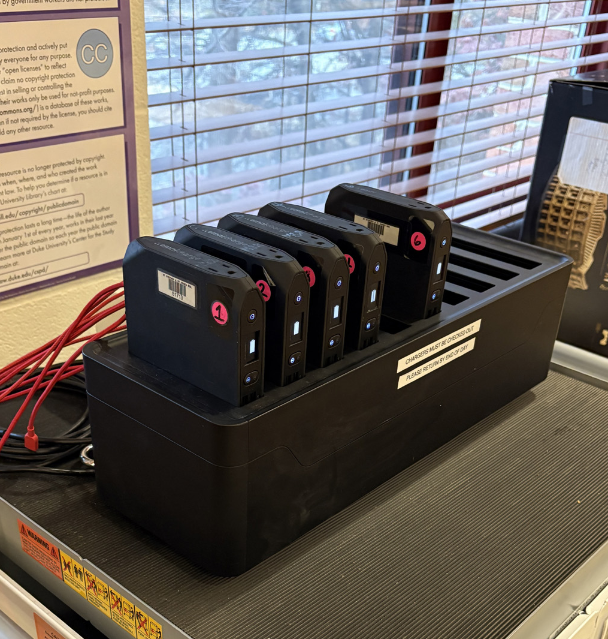
6-Bay, USB-C / USB-A, locked storage
Omni Locker Station 10E »
6-Bay, USB-C / USB-A, locked storage
 Omni Power Station 20+ »
7-Bay, AC outlet plus USB-C / USB-A
Omni Power Station 20+ »
7-Bay, AC outlet plus USB-C / USB-A

Power Your Campus
For Colleges & Universities
Libraries, lecture halls, student commons, nursing and simulation labs, and every corner of campus where students work but outlets don't reach. With app-based self-service checkout, students borrow a fully charged power bank and return it at any station on campus, while IT tracks the fleet from one dashboard.
Recommended for Higher Ed:
Omni Locker Station 10E »
6-Bay, locked storage for labs and media centers
Omni Power Station 20+ »
7-Bay, everyday library and commons power
 Omni Power Station 30C+ »
8-Bay, USB-C plus wireless charging
Omni Power Station 30C+ »
8-Bay, USB-C plus wireless charging
 Omni Power Station 40+ »
6-Bay, 142Wh for labs and long sessions
Omni Power Station 40+ »
6-Bay, 142Wh for labs and long sessions

Case Study · K-12
How Fenton Charter Public Schools keeps 2,650 students powered in their classrooms
With 2,650 iPads deployed district-wide, dead batteries were pulling up to 10 students a day out of each tech lab and costing instructional coaches 1.5 hours daily. The district placed one Omni Power Station in every classroom.
154Power Stations
770Portable chargers
810 hrsReclaimed per year
We get our full recess and lunch now! We don't have to spend them charging iPads.
Jennifer Nishimoto, Instructional Technology CoachWhy Portable Power
Devices Are Everywhere.
Outlets Are Not.
Digital learning has outgrown the wall outlet. Omnicharge closes the gap between where devices are and where power is.
40%of US K-12 classrooms now run 1:1 device programsSource: Omnicharge, Laptop Charging Stations for Classrooms
88%of college students own a laptop they bring to campusSource: Omnicharge, Laptop Charging Stations for Classrooms
810 hrsof instruction time reclaimed per year in just two tech labsSource: Fenton Charter Public Schools case study
1
No construction, no rewiring
Deploy in minutes from a single wall outlet. Reconfigure the room tomorrow without touching the electrical plan.
2
Power at the desk, not the wall
Students charge where they sit. No clustering around outlets, no extension cords across walkways, no tripping hazards.
3
Self-service checkout
With the free Omnicharge app, students borrow and return power banks at any station on campus. IT sees every unit in SmartCenter.
4
Built for the school day
Flame-retardant casings, battery balancing, temperature sensors, and locked storage on the Locker Station keep power safe and accounted for.
Charging Platforms
Find The Right
Power Station
For Your School
Every model recharges all of its power banks from a single wall outlet. Choose by the devices your students carry and how long they need to run.
Made for K-12
Omni Locker Station
Omni Locker Station
10E
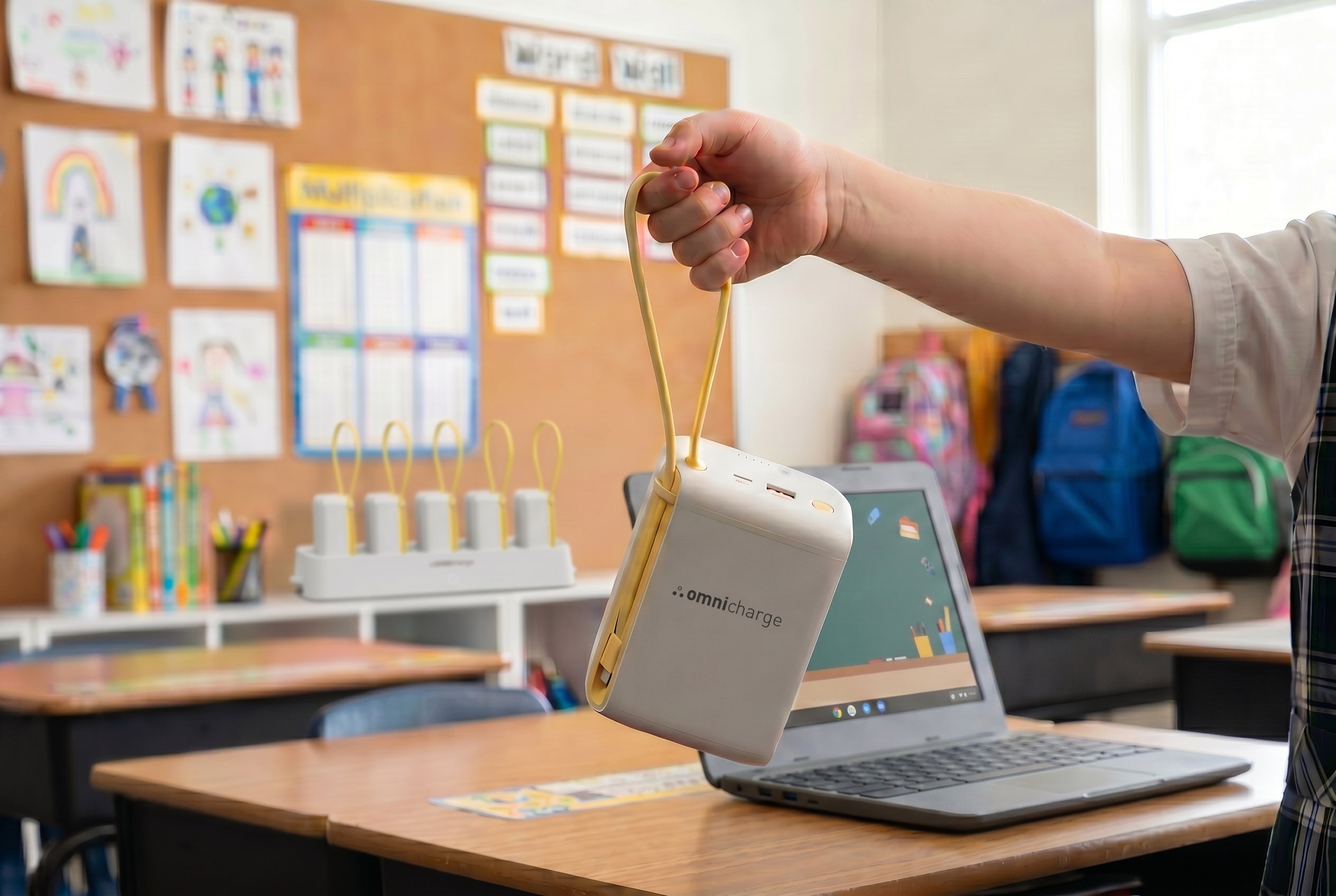
Classroom-ready charging, securely stored. The Locker Station 10E combines a mechanically locked base with six portable power units built for the way schools actually run: devices constantly in motion, students rotating between rooms, small-group work, lab sessions and after-school programs.
- 6-Bay
- 65W USB-C cable + 20W USB-C + 18W USB-A
- LiFePO4, up to 2,000 cycles
- Locked storage
- No AC outlet

K-12 and Higher Ed
Omni Power Station
Omni Power Station
20+ 7-Bay
The everyday workhorse for classrooms, libraries and student commons. Each station recharges all seven power banks from one outlet in roughly four hours. Every power bank carries a full-size AC outlet plus USB-C and USB-A, so Chromebooks, iPads, older laptops and classroom equipment all charge from the same unit.
- 7-Bay
- 72Wh per power bank
- AC + USB-C + USB-A

Higher Ed Commons
Omni Power Station
Omni Power Station
30C+
Designed for mixed-device environments like libraries, dining halls and student unions. Fast USB-C and USB-A charging plus three integrated wireless charging zones, so phones, earbuds and laptops all top up from the same power bank. Eight bays recharge from one outlet in 4 to 6 hours.
- 8-Bay
- 94Wh per power bank
- USB-C + USB-A + programmable DC
- 3 wireless charging zones

Labs, Lecture Halls, Field Programs
Omni Power Station
Omni Power Station
40+
For nursing and simulation labs, engineering programs, all-day lectures and field courses that run far from an outlet. 142Wh per power bank delivers the longest runtime in the lineup, with a full-size AC outlet, programmable DC and USB outputs for pro laptops, instructor gear and lab equipment.
- 6-Bay
- 142Wh per power bank
- Recharges in under 4 hours
- AC + programmable DC + USB

Lecture Halls, Faculty & Admin, All-Day Sessions
Omni Power Station
Omni Power Station
80C+
A cost-effective alternative to installing new AC wall outlets. The Omni Power Station 80C+ keeps five 289Wh power banks charged and ready for lecture halls, faculty offices, simulation labs and all-day sessions, and pairs with Omni Power Bases that bring a full-size AC outlet and high-watt USB-C to any desk or table. Add the Omni Power Cart to wheel power between rooms as the timetable changes.
- 5-Bay
- 289Wh per power bank
- High-speed USB-C
- Power Base adds AC + USB-C at the desk
- Omni Power Cart
Case Studies
How Education Teams
Deploy Omnicharge
Real deployments, real numbers, from a 2,650-student charter district to a Big Ten library system.
K-12Fenton Charter Public Schools keeps 2,650 students powered in their classrooms
With 2,650 iPads deployed district-wide, dead batteries were pulling up to 10 students a day out of each tech lab and costing instructional coaches 1.5 hours daily. The district placed one Omni Power Station in every classroom - 154 stations and 770 portable chargers in total.
154Power Stations
770portable chargers
810 hrsreclaimed per year
 Higher Ed
Cedar Crest College brings 24/7 self-service power to older learning spaces
Classrooms and meeting rooms built before the laptop era lacked outlets for students and staff. Rather than an electrical retrofit, the college deployed Omnicharge Power Stations with SmartCenter checkout in the Nursing Building and The Narrows Digital Commons.
24/7self-service checkout
0electrical retrofits
Higher EdPenn State University Libraries builds a campus-wide lending network
Starting with a three-station pilot at Pattee and Paterno Libraries, Penn State expanded app-based power bank lending across branch libraries. Students take a power bank anywhere on campus and return it at any station.
3 → 15+stations, pilot to rollout
24 hrapp-based loan
 Higher Ed
Northeastern State University adds movable power to rooms without desk outlets
Serving more than 8,000 students, NSU needed power that could move between large meeting spaces, events and conference travel. Omnicharge power banks with USB, AC and wireless output were adopted by faculty, staff and student workers, with expansion to the University Center planned.
8,000+students served
3-in-1USB, AC, wireless
Power in Every Corner
Where Schools Put Omnicharge
Recommended models by zone, shaped by how education customers deploy power today.
01
K-12 Classrooms
One station per room keeps a class set of iPads or Chromebooks charged at the desk.
Locker Station 10E / Power Station 20+02
Computer Labs & Media Centers
Rotating groups, shared devices, and a locked base so nothing walks away.
Locker Station 10E03
Libraries
App checkout lets students borrow at one branch and return at another.
Power Station 20+04
Student Commons & Dining
Phones, earbuds and laptops all top up from one power bank between classes.
Power Station 30C+05
Lecture Halls
Full-day power for laptops in rows that were never wired for them.
Power Station 40+ / 80C+06
Nursing & Simulation Labs
AC and USB-C for tablets, monitors and instructor gear at every bedside.
Power Station 40+07
Faculty & Admin Offices
Desk-level AC and USB-C through Power Bases, plus movable power for meetings and testing days.
Power Station 80C+ / 20+08
Field Programs & Athletics
Power for cameras, modems and laptops far from the nearest building.
Power Station 40+ / Omni UltimatePower-as-a-Service
The smart upgrade: shared power, managed for you.
Omnicharge Power-as-a-Service transforms power deployment into a managed service model - not just hardware ownership. Smart Center, self-service workflows, and warranty-backed support, in one platform.
Self-service access
Users borrow chargers without staff involvement. Branded checkout flows reduce front-desk load.
Smart Center Visibility
Monitor usage patterns, station health, and activity across all locations - one dashboard.
Service-backed support
Structured warranty coverage and fast replacement reduce operational risk over the lifecycle.
Learn More

FAQ
Questions From Education Teams
Which Power Station is right for a K-12 school versus a college?
| K-12 classrooms, labs, media centers | Omni Locker Station 10E (locked storage, USB-C / USB-A, no AC outlet, made for school environments) Omni Power Station 20+ 7-Bay (AC outlet plus USB-C / USB-A for Chromebooks, iPads and laptops) |
| Libraries, student commons, lecture halls | Omni Power Station 20+ 7-Bay Omni Power Station 30C+ (adds wireless charging) |
| Labs, simulation rooms, field programs | Omni Power Station 40+ (142Wh, longest runtime, full-size AC output) |
| Lecture halls, faculty and admin offices, all-day sessions | Omni Power Station 80C+ (289Wh, pairs with Omni Power Bases for AC and USB-C at the desk) |
How many Power Stations do we need?
For classrooms, K-12 districts typically deploy one station per room. For shared spaces such as libraries, commons and lecture halls, we recommend one Power Station per 25 people.
Can students check power banks in and out themselves?
Yes. With Power as a Service, students use the free Omnicharge app to borrow a power bank from any station and return it to any station on campus. Administrators manage loan periods, fees and station status in SmartCenter. For K-12, the Locker Station 10E uses a mechanical lock so the teacher controls access without an app.
How long does it take to recharge all the power banks?
Depending on the model, four to six hours from a single wall outlet. Dynamic Power Protection firmware stops charging at 100% and lets each power bank rest to around 80% before topping up again, extending battery life for units that sit in the station between uses.
Is Omnicharge safe for use around students?
The charging base uses a shock-resistant aluminum casing with overheat, short-circuit and over-voltage protection. Each portable unit has a flame-retardant shell, proprietary battery balancing, and temperature sensors. The Locker Station 10E uses LiFePO4 cells rated for up to 2,000 charge cycles. Full details are on our Power Safety page.
Does it replace our charging carts?
For many schools, yes. Charging carts keep devices at the wall; Omnicharge keeps power at the desk. Students charge while they work instead of swapping devices mid-lesson, and there is no cart to wheel between rooms.
Need help scoping a campus deployment? Talk to our education team

Start Here
Ready To Find The Right
Omnicharge Solution
For Your Campus?
Start with the configurator to identify the best-fit setup based
on your environment, workflow, and deployment needs.